

The real desktop site on iPad and iPhone Duo.
Jolina is an iOS app built by our agency. It shows the true desktop version of websites, in its own browser and in Safari through its extension.

Jolina
iPhone · iPhone Duo · iPad
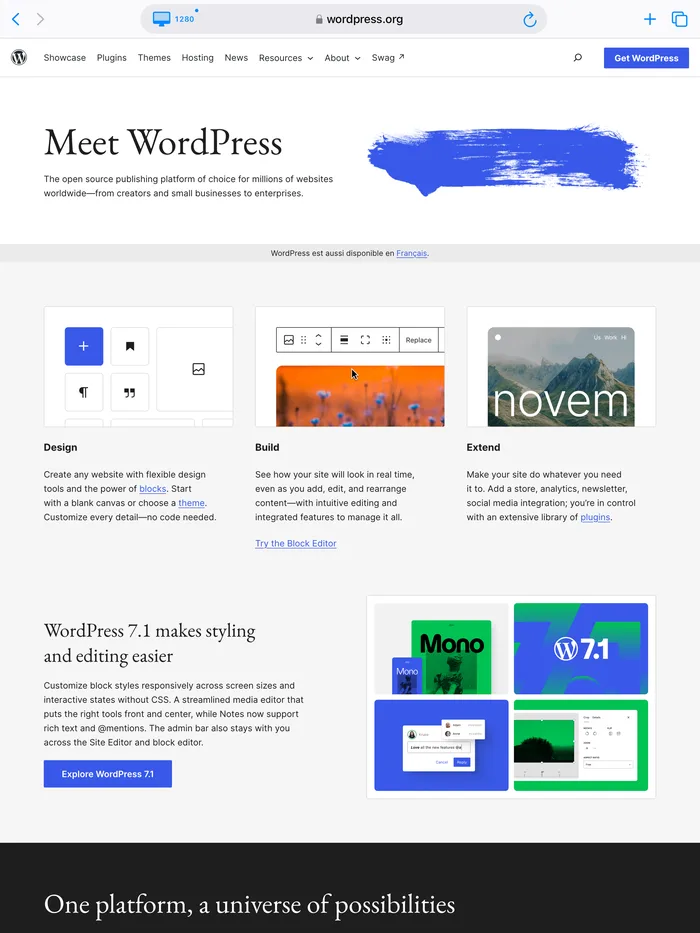
On iPad or on the unfolded iPhone Duo, many websites serve their tablet or mobile layout. Safari's “Request Desktop Website” doesn't change the page width: menus and tables stay cut off.
Jolina rewrites the viewport as soon as the page opens. The site is laid out on a true 1280-pixel width, like on a Mac, then scaled to your screen.
The video is hosted by YouTube and only loads when you click.
What Jolina does
A browser built for work.
Automatic desktop mode
Mobile layout when the iPhone Duo is folded, desktop as soon as you unfold it. Choose 1024, 1280 or 1440, with per-site exceptions.
Safari extension
The same desktop mode right inside Safari, keeping your iCloud passwords, Apple Pay and tabs.
Split screen
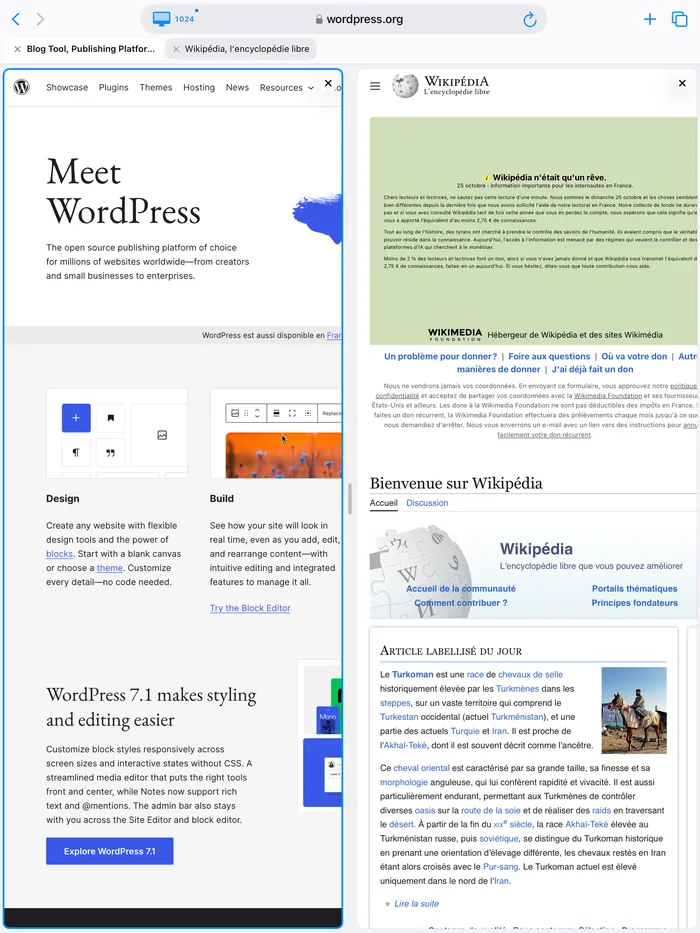
Two sites side by side on the large screen, for example Google Ads next to your client’s website.
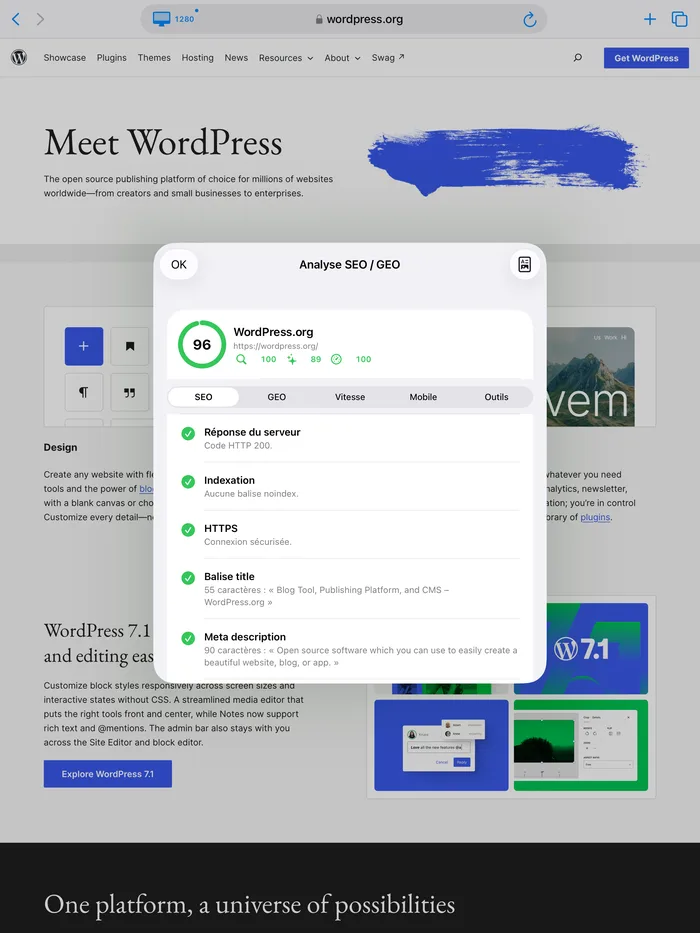
SEO / GEO audit
Tags, headings, structured data, AI crawler access, robots.txt, sitemap, llms.txt and speed of the current page, with the fixes to do first.
PDF report
An A4 report with scores, a screenshot of the page and the fixes, ready to share with a client.
View as Googlebot
Reload the page as Google’s mobile crawler to see what Google really sees.
Screenshots
Tutorial
Turn on Jolina in Safari in 6 steps.
It takes two minutes. You need an iPhone or iPad running iOS 26 or later.
- 1
- 2
Open Jolina once
Desktop mode and the SEO audit are part of Jolina Pro. The first 3 days are free and unlock everything.
- 3
Open the iPhone Settings
Go to Settings › Apps › Safari › Extensions.
- 4
Turn on “Jolina for Safari”
Tap “Jolina for Safari”, then turn the extension on.
- 5
Allow all websites
On the same screen, tap “All Websites” and choose “Allow”.
- 6
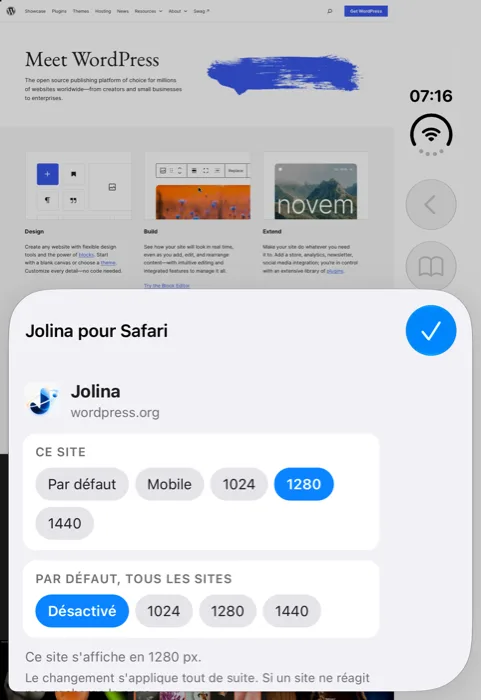
Browse with Safari
It’s automatic: mobile on the small screen, desktop on the large one. To change a site’s width, tap Safari’s “aA” (or ≡) menu, then “Jolina for Safari”.
Why a web agency built an app
Jolina comes from our own needs: managing our clients’ WordPress sites and Google Ads campaigns from an iPhone Duo, just like from a computer. We designed, built and published it ourselves — the same skills we put to work for our clients.
FAQ
Is Jolina free? +
The download is free. Desktop mode and the SEO audit are part of Jolina Pro, a subscription managed by Apple, with a 3-day free trial. The price is shown on the App Store.
Which devices are supported? +
iPhone, iPhone Duo and iPad, running iOS 26 or later. The automatic folded / unfolded mode is designed for the iPhone Duo.
How do I cancel my subscription? +
In Settings › your name › Subscriptions › Jolina Pro, at least 24 hours before the end of the current period.
I changed devices, how do I get my subscription back? +
In Jolina › Settings › Jolina Pro, tap “Restore Purchases”.
A site looks wrong, what can I do? +
In Safari, open the “aA” menu › Jolina for Safari and pick another width for that site. If it persists, email us with the site address.
Does Jolina collect my data? +
No. Jolina has no server. History, bookmarks and passwords stay on your device.